 kōan
kōan
kōan
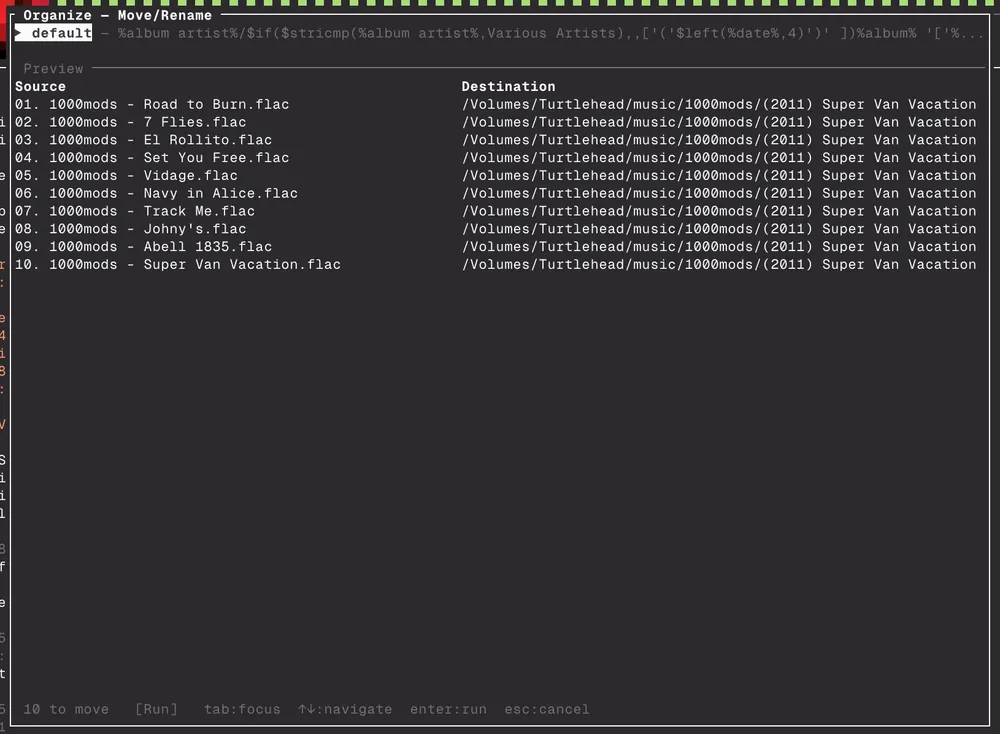
It's a music player. Designed for both local and remote collections (subsonic/navidrome). Remote works with a fairly aggressive local cache. It is super fast and handles 1TB+ libraries with ease and has all the things you'd want like gapless, queue management, "bit-perfect" (so much as the audio stack allows), combined search...etc. Built from 25 years of experience messing about with music and being annoyed with pretty much everything and wanting my dream application. There are some organisational features such as file renaming, which is compatible with fb2k syntax, and I plan to add a decent well thought out tagger once I have pondered the UX more.
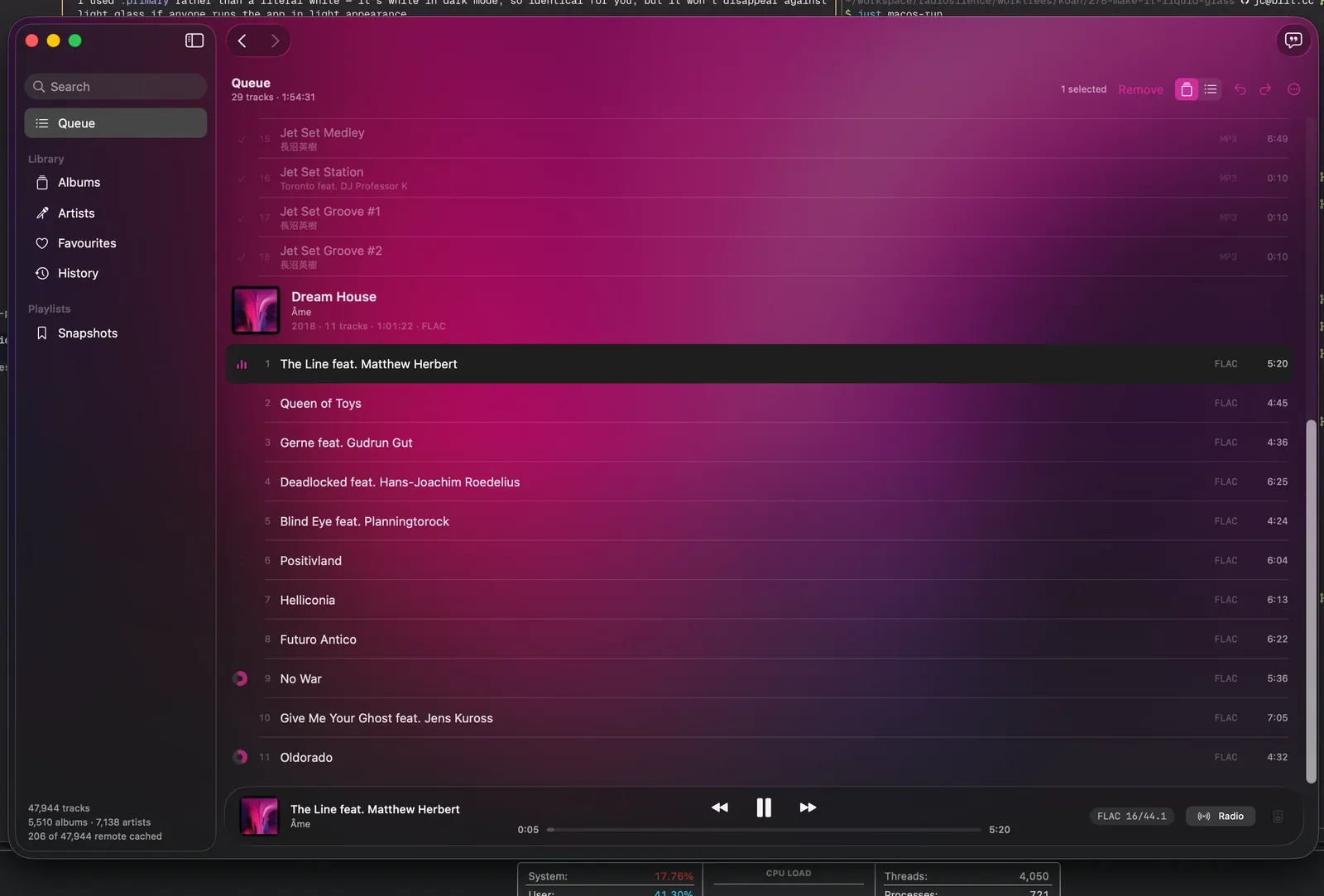
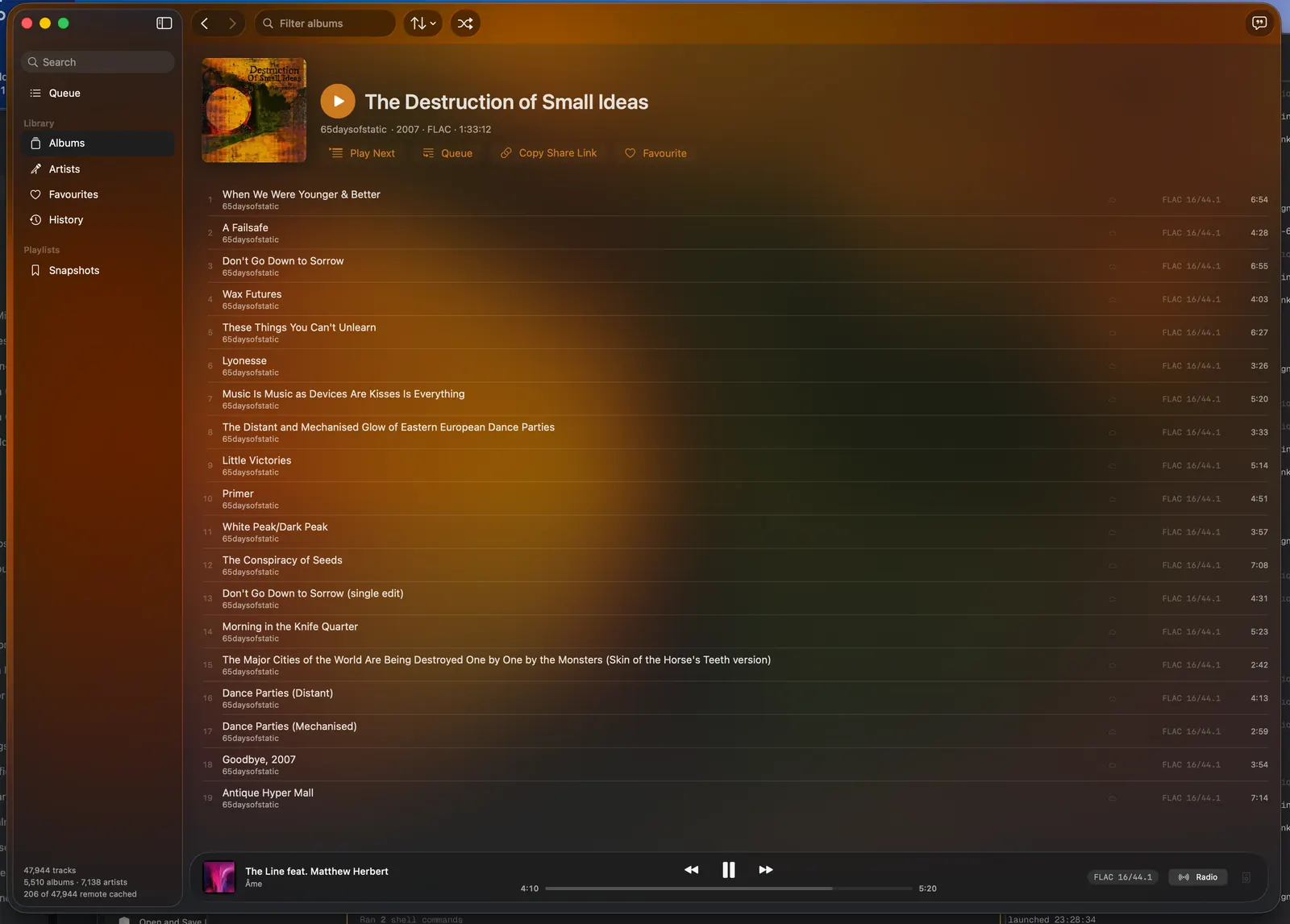
Originally built as a Rust TUI and core, I've now added a beautiful macOS SwiftUI app (no Electron) that uses FFI to bridge to the rust. It's fast, it's pretty, it has these lush transitions, and the point is to do all the basics properly and well before adding features, I'm really proud of it. The UX is somewhat inspired by taking the things I like about Apple Music and fb2k, but also fixing things I thought were dumb.
Full disclaimer: AI assisted coding was used. I have been building somewhat high quality software for a long time (decades) before AI existed, and I'd like to think the decisions I've been making reflect this as opposed to just vibing slop. I probably could have written it myself, but I kind of wanted to take a step back and be more of an architect/technical lead/product owner rather than a coder for this.
Install
macOS app
brew install --cask radiosilence/koan/koan-appYou may have to update Homebrew's trust settings to trust the tap. Alternatively, download Koan.dmg from the releases page.
The app is signed but not notarised, because notarisation needs a paid Apple developer account. macOS therefore refuses the first open and offers only “Move to Trash”. Drag the app to Applications and run this once; the cask does it for you:
xattr -dr com.apple.quarantine /Applications/kōan.appRequires macOS 26 or later.
Command line and terminal UI
# mise (recommended)
mise use -g github:radiosilence/koan@latest

# homebrew
brew install radiosilence/koan/koan

# or via cargo
cargo install koan-cli

# or build from source
git clone https://github.com/radiosilence/koan.git && cd koan
cargo install --path crates/koan-cli
A single binary. macOS works out of the box with CoreAudio. Linux needs the ALSA and D-Bus development headers:
# Debian/Ubuntu
sudo apt install libasound2-dev libdbus-1-dev

# Fedora
sudo dnf install alsa-lib-devel dbus-devel

# Arch
sudo pacman -S alsa-lib dbus
Getting started
In the app, everything is in Settings. Library points kōan at your music and scans it, Server signs in to Navidrome or Subsonic, and playback, output device and radio have their own panes. No terminal is needed.
From the command line:
koan config init   # create the config dir and a commented template
# edit ~/.config/koan/config.local.toml:
#   [library]
#   folders = ["/path/to/your/music"]
koan scan          # index your library
koan               # launch the TUI
space pauses, < and > skip, p picks tracks, a picks albums, q quits.
With a Navidrome or Subsonic server:
koan remote login https://music.example.com admin
koan remote sync
koan
Local and remote tracks merge into one library. Local files take priority for playback; remote tracks stream while they download and stay in the cache.
What it does
Playback
- Bit-perfect output through CoreAudio on macOS and ALSA on Linux. The device is switched to the source's sample rate rather than resampled to reach it; when a device refuses, the format badge says the output is resampled.
- Gapless: the decoder runs ahead across track boundaries.
- Formats: FLAC, MP3, AAC, Vorbis, Opus, ALAC, ADPCM, WAV, AIFF and CAF, in Ogg, Matroska/WebM and MP4 containers.
- ReplayGain in track and album modes, with peak limiting and a configurable pre-amp.
- Radio mode: endless play scored from your own library on acoustic similarity, genre, era and artist. It does not ask any outside service for recommendations.
- Media keys and now-playing through Control Center on macOS and MPRIS on Linux.
Library
- Local and Subsonic/Navidrome in one library, with incremental sync, streaming, and favourites and playlists synced both ways.
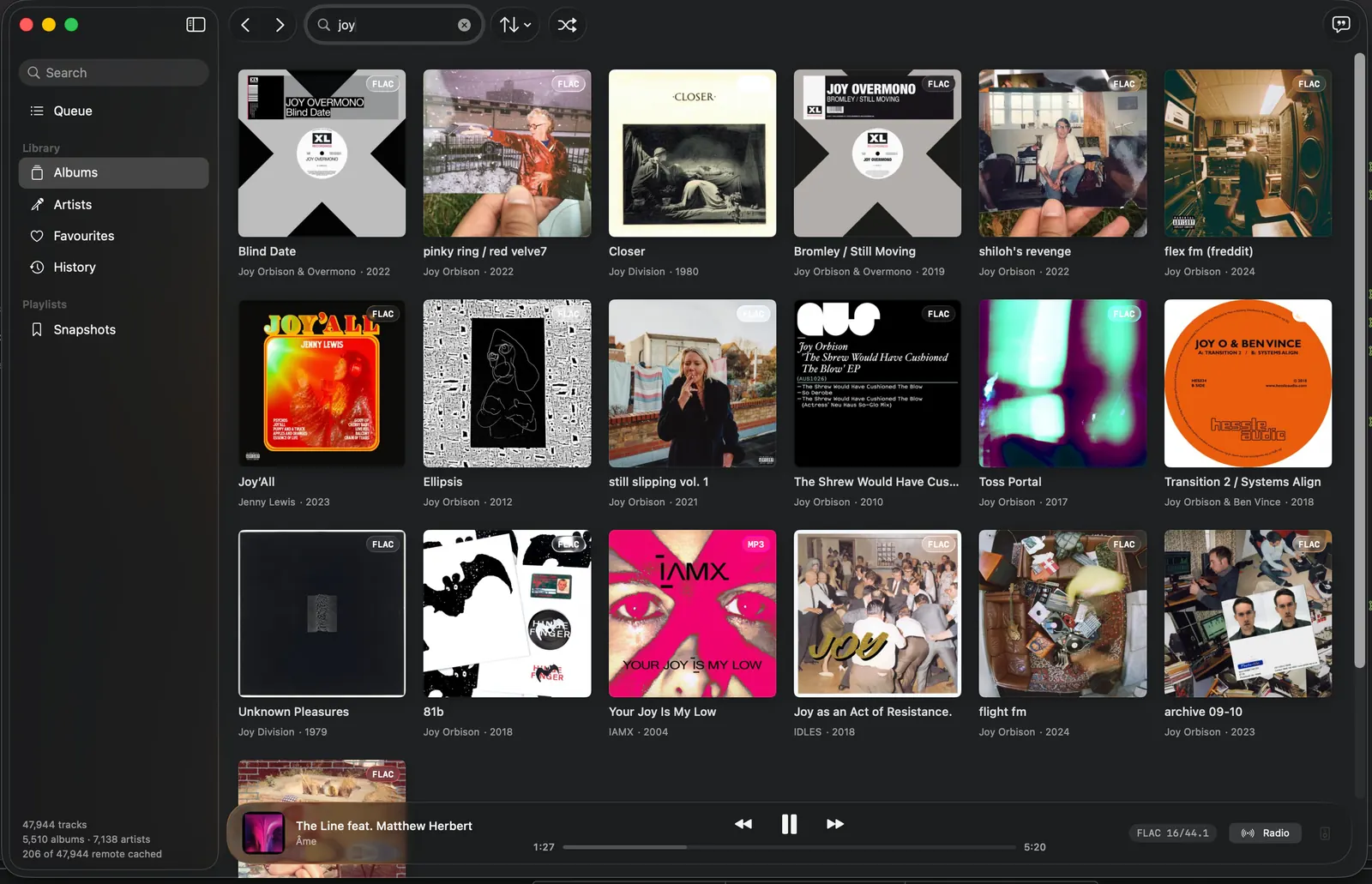
- Search across the whole library with SQLite full-text search.
- Queue grouped by album, with drag reordering, multi-select, 100 levels of undo, and Finder drag and drop. It survives restarts.
- Playlists, ordered and named, exportable as M3U8.
- Synced lyrics from LRCLIB, with the current line highlighted.
- File organisation with foobar2000-compatible format strings (
%field%,[conditionals]and 59$functions()). Every move is previewed, collisions included, before anything is touched.
Automation
- GraphQL API for full control alongside the app or TUI, or headless as a music server.
- Subsonic-compatible API, so other Subsonic clients can play from a kōan server.
- MCP server (
koan mcp) exposing the player to Claude Desktop. - Accounts with Ed25519 JWTs, three roles and 1Password CLI integration.
Not there yet: tag editing, and DSP or EQ.
The macOS app
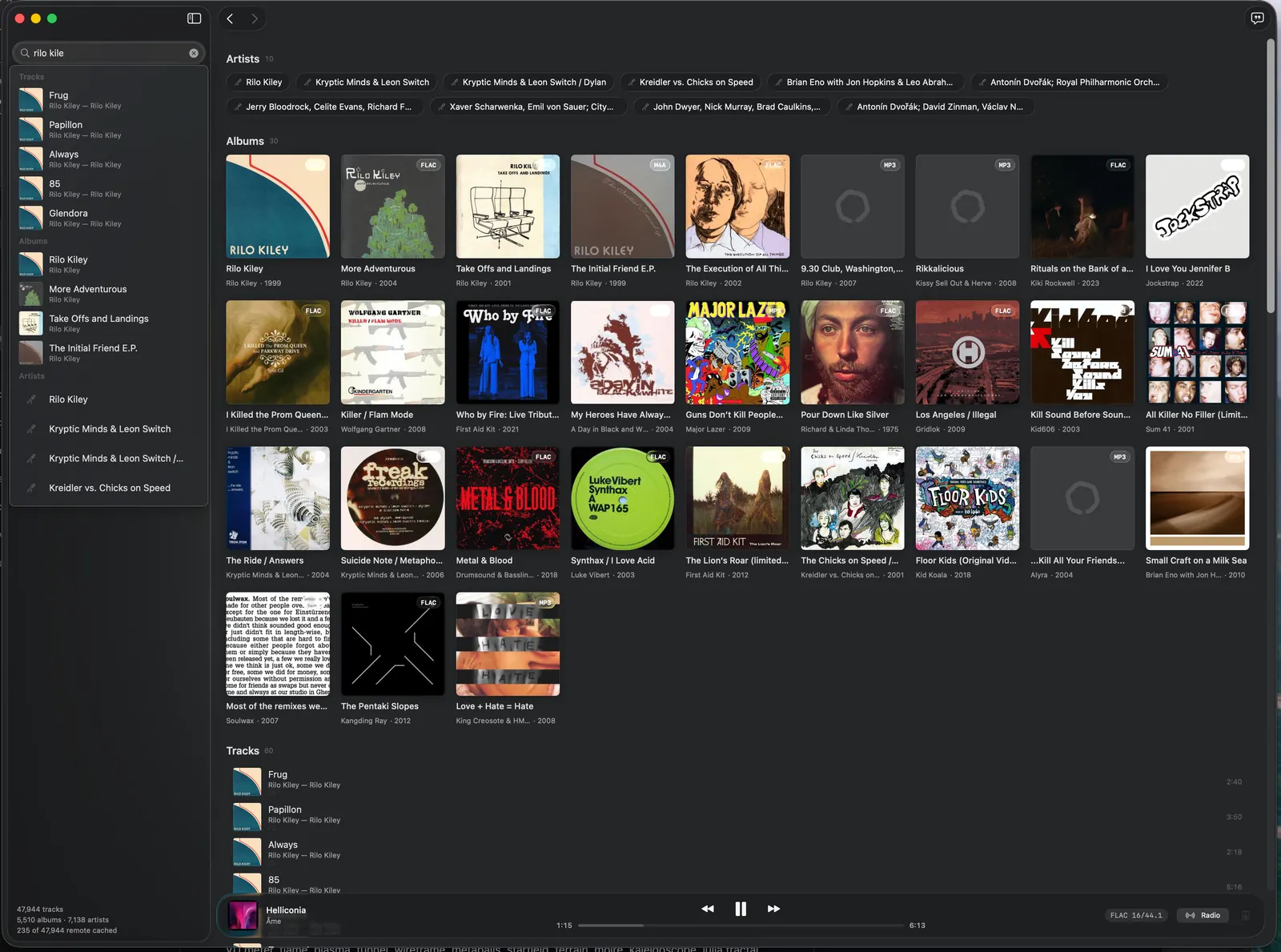
A SwiftUI app built for macOS 26. Browse and search the library (⌘K), build and reorder the queue, keep playlists, favourite tracks, albums and artists, read synced lyrics, look through play history and reorganise files on disk. First-run setup covers library folders and remote sign-in.
It links the Rust core in-process through FFI rather than talking to a server, so there is no daemon, port or auth surface between the interface and the audio engine, and CoreAudio output never leaves Rust. It shares one library and one config with the terminal UI: a queue saved in one shows up in the other.
Two things it leaves to the terminal: visualisers, and running the server (koan serve).
The terminal UI
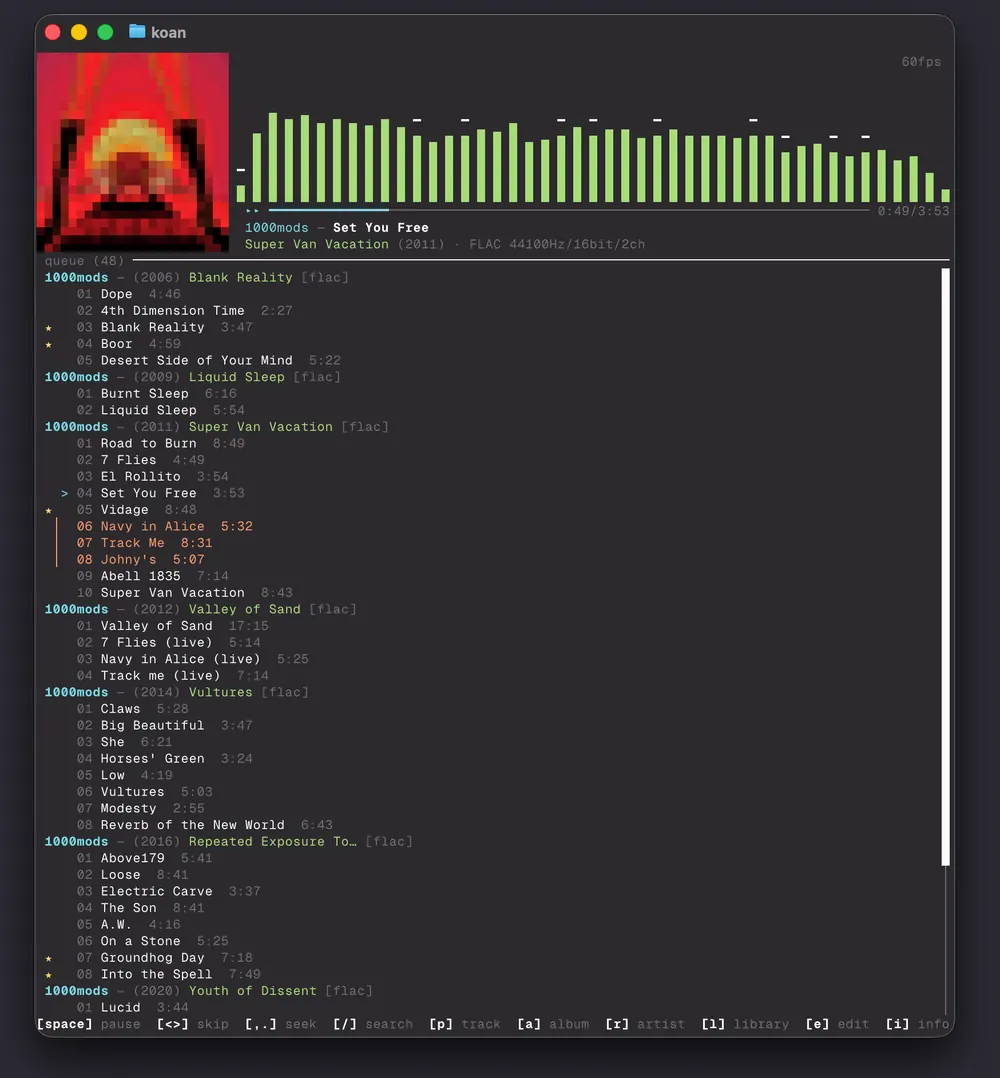
A full-screen Ratatui interface that runs on macOS and Linux: a transport bar with album art, an album-grouped queue, a fuzzy picker, a library browser, a lyrics panel, mouse support and 22 visualiser modes.
Documentation
- Getting started
- Remote servers
- Radio mode
- File organisation
- Format strings
- Headless server
- GraphQL API
- MCP integration
- Authentication
- Configuration
- Keybindings
- CLI reference
- Troubleshooting
Architecture, contributing and how kōan compares with other players are in the repository.